Industry

Non Profit

Client

Client

Leave No One Behind

Supporting Displaced Ukrainians with a Volunteer Matching Platform

Supporting Displaced Ukrainians with a Volunteer Matching Platform

  • Rapid MVP Validation

  • Crisis-Responsive UX Strategy

  • Volunteer Matching Platform Design

  • Lean Product Management

  • UX Research Under Constraints

  • Rapid MVP Validation

  • Crisis-Responsive UX Strategy

  • Volunteer Matching Platform Design

  • Lean Product Management

  • UX Research Under Constraints

  • Rapid MVP Validation

  • Crisis-Responsive UX Strategy

  • Volunteer Matching Platform Design

  • Lean Product Management

  • UX Research Under Constraints

At a glance

We partnered with Leave No One Behind to design and launch Haven — a volunteer matching platform that connected displaced Ukrainians with fast, targeted support. At the height of the refugee crisis, aid organisations were overwhelmed, relying on spreadsheets and manual coordination to connect people with help. In just six weeks, we delivered a lightweight MVP of Haven to validate the core experience with real users. The platform laid the foundations for a scalable system capable of supporting thousands in need.

My Role

Product owner

Product designer

Business analyst

Team

Infrastructure engineer

Software engineer

Front-end engineer

UX researcher

Year

2022

Tools

Mural

Figma

Dovetail

Trello

My Role
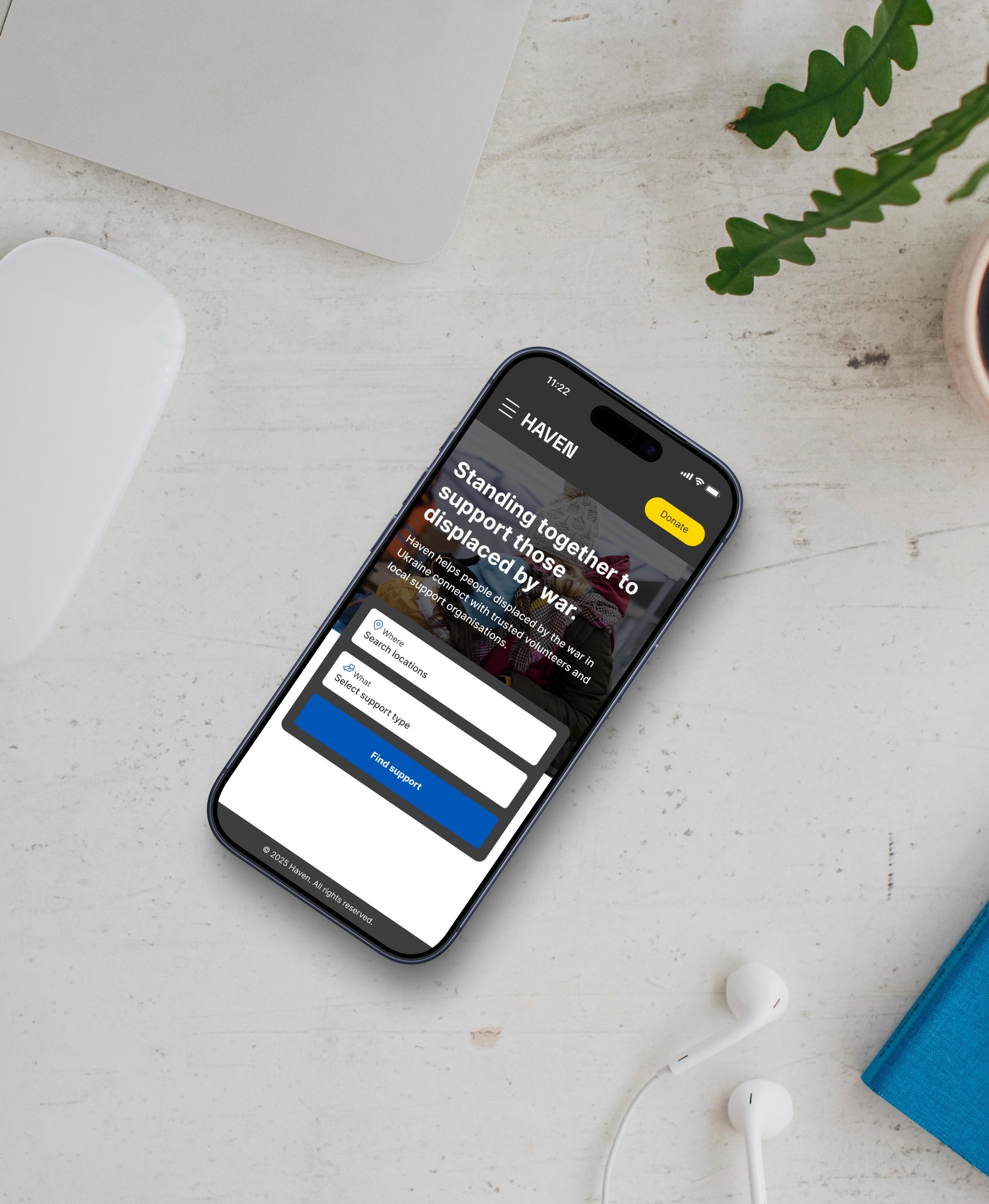
I led the design of Haven, working closely with researchers, developers, analysts, and our key stakeholders to bring the platform from concept to production in six weeks. I facilitated workshops to align stakeholders, defined user needs based on rapid research and partner input, and designed core user journeys and mobile-first prototypes. To ensure feasibility and speed, I collaborated directly with developers to co-create high-fidelity UI, refine interactions, and support implementation through to launch.

I led the design of Haven, working closely with researchers, developers, analysts, and our key stakeholders to bring the platform from concept to production in six weeks. I facilitated workshops to align stakeholders, defined user needs based on rapid research and partner input, and designed core user journeys and mobile-first prototypes. To ensure feasibility and speed, I collaborated directly with developers to co-create high-fidelity UI, refine interactions, and support implementation through to launch.

The design

Designing the journey around the search

Designing the journey around the search

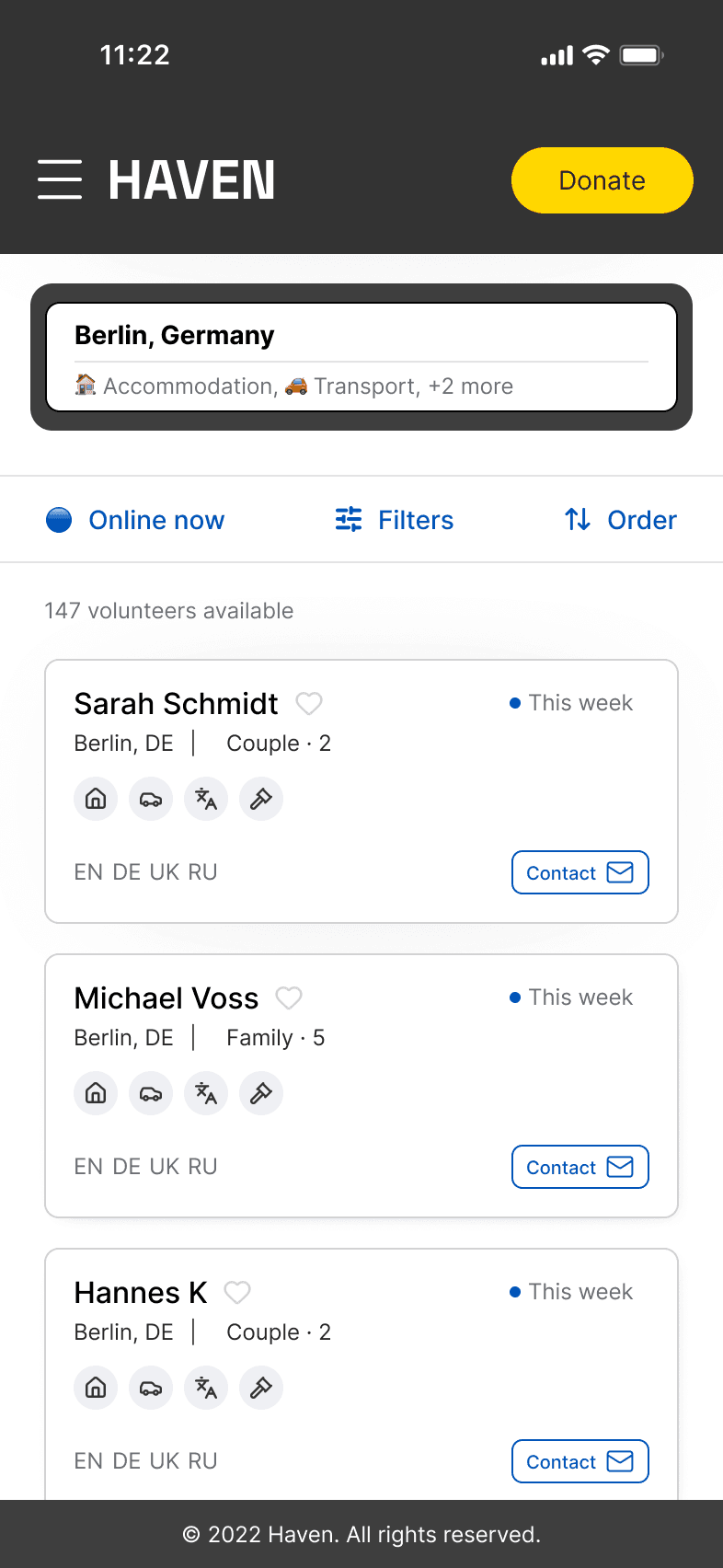
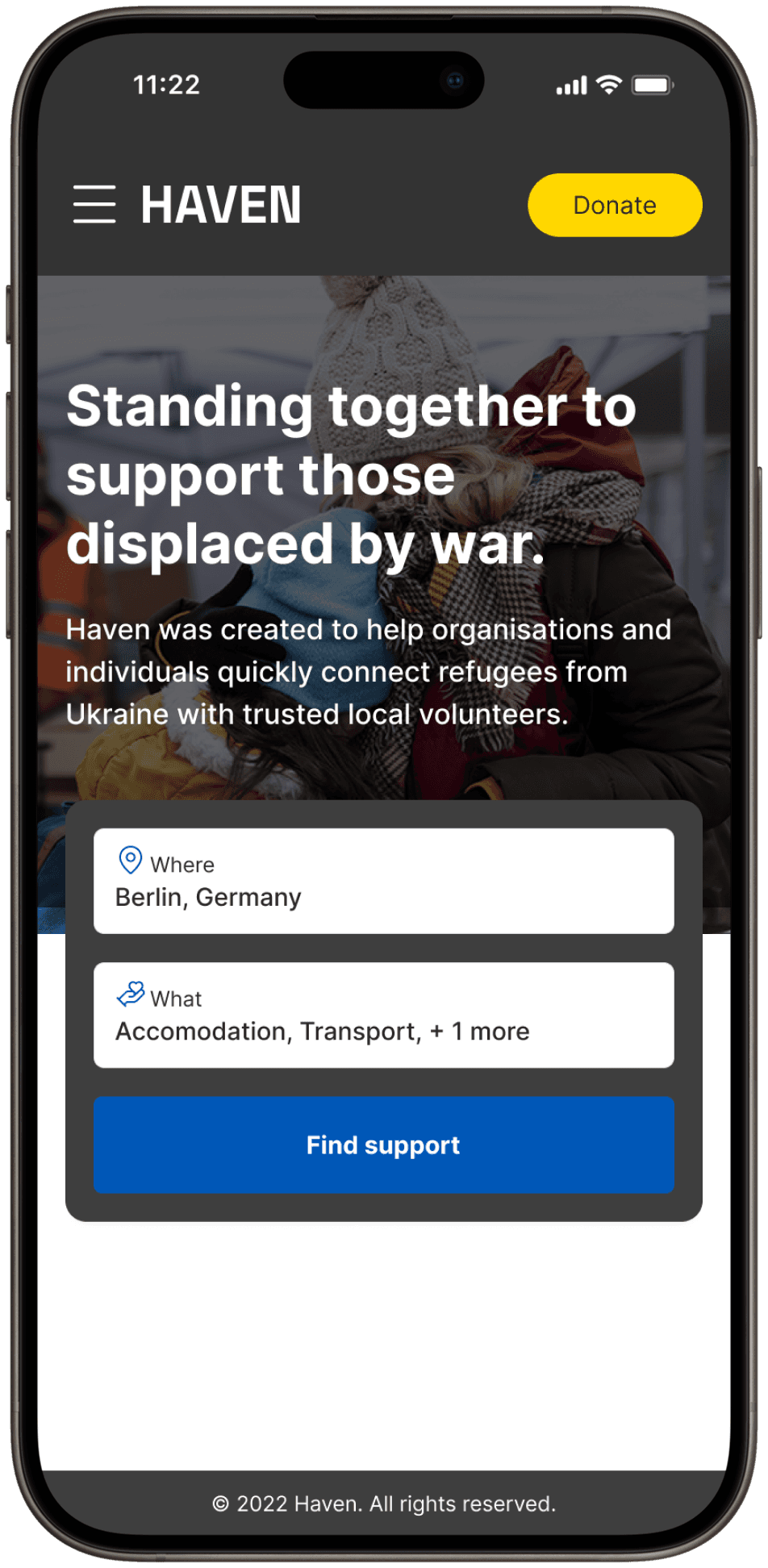
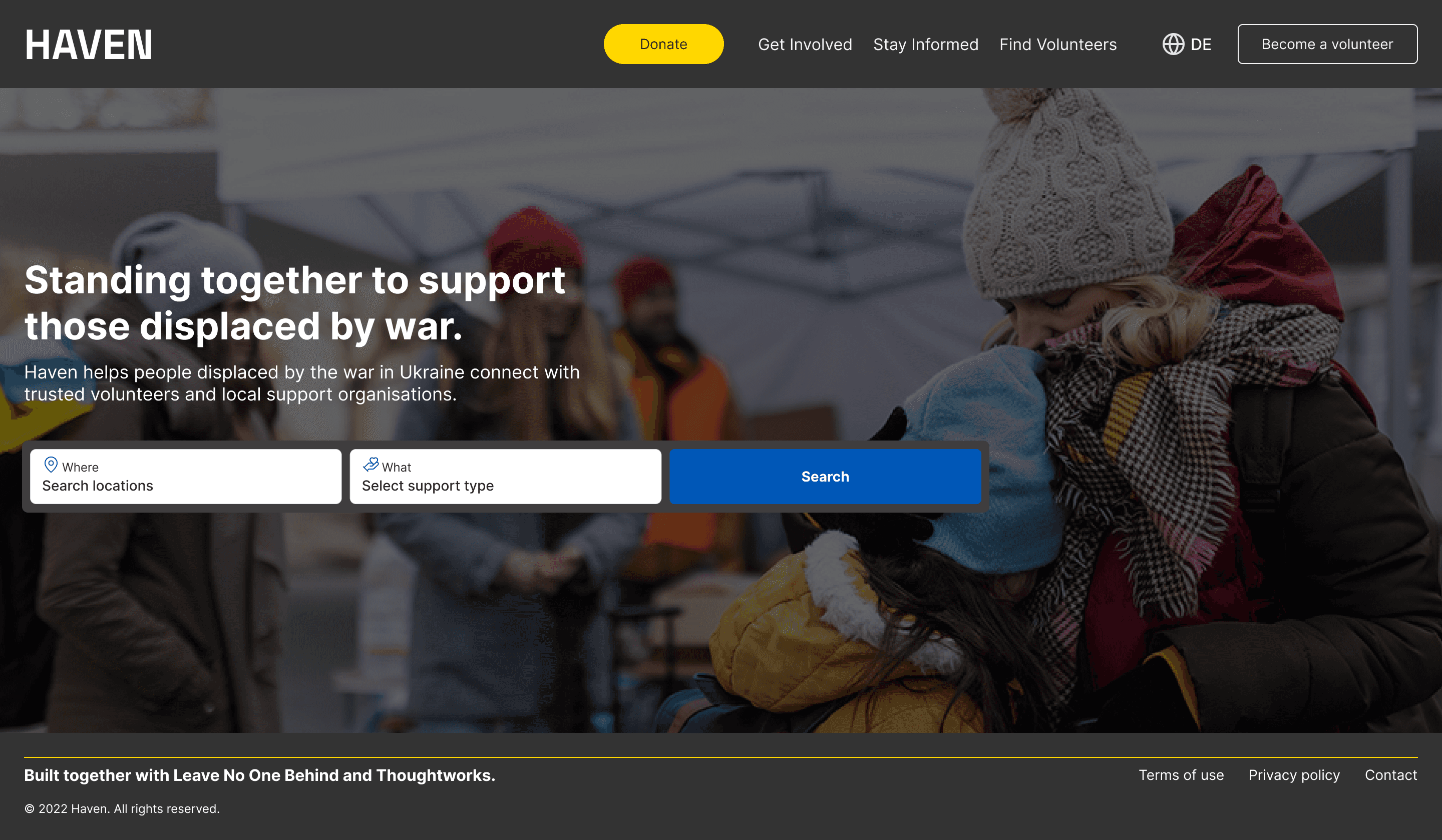
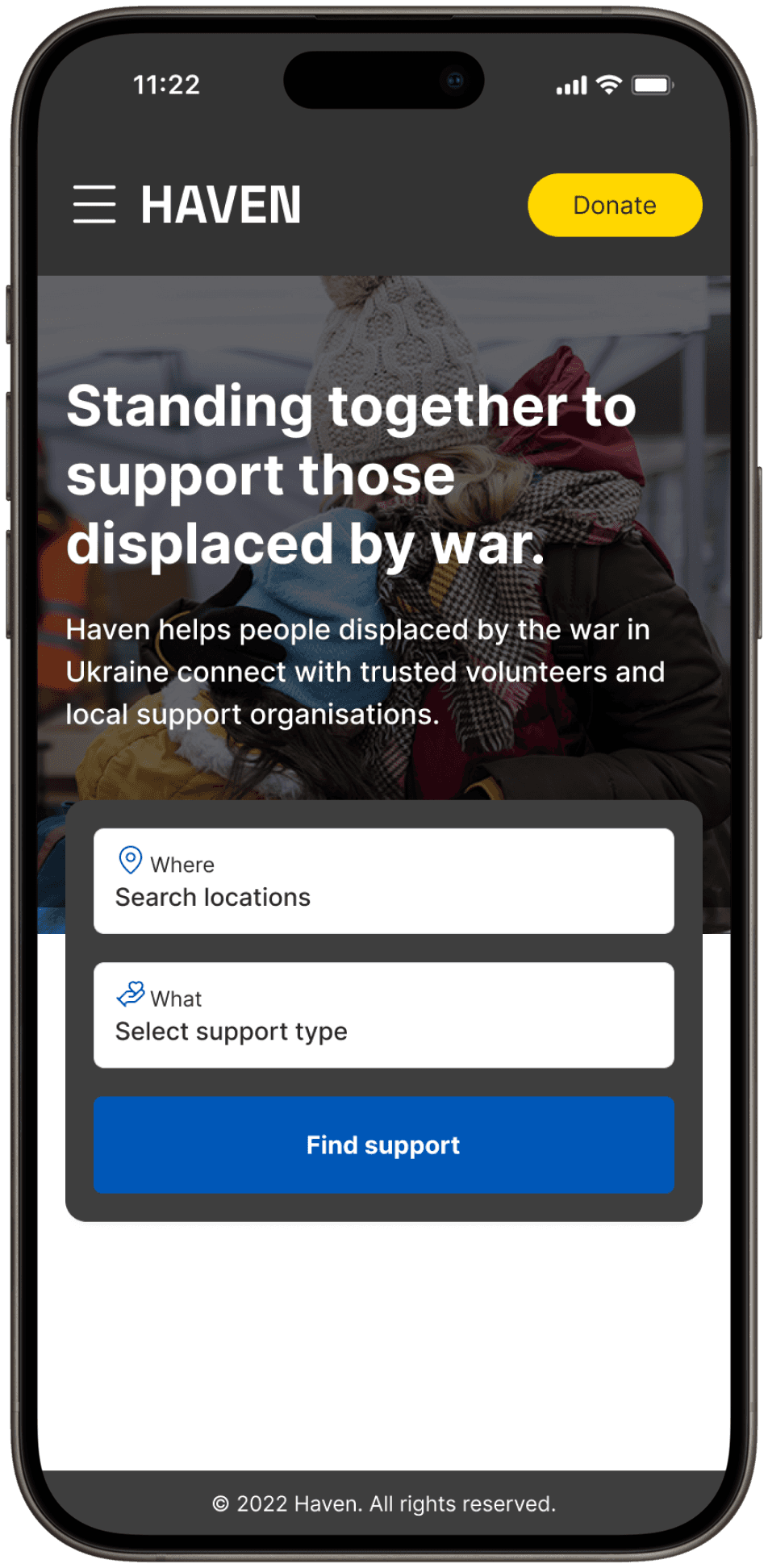
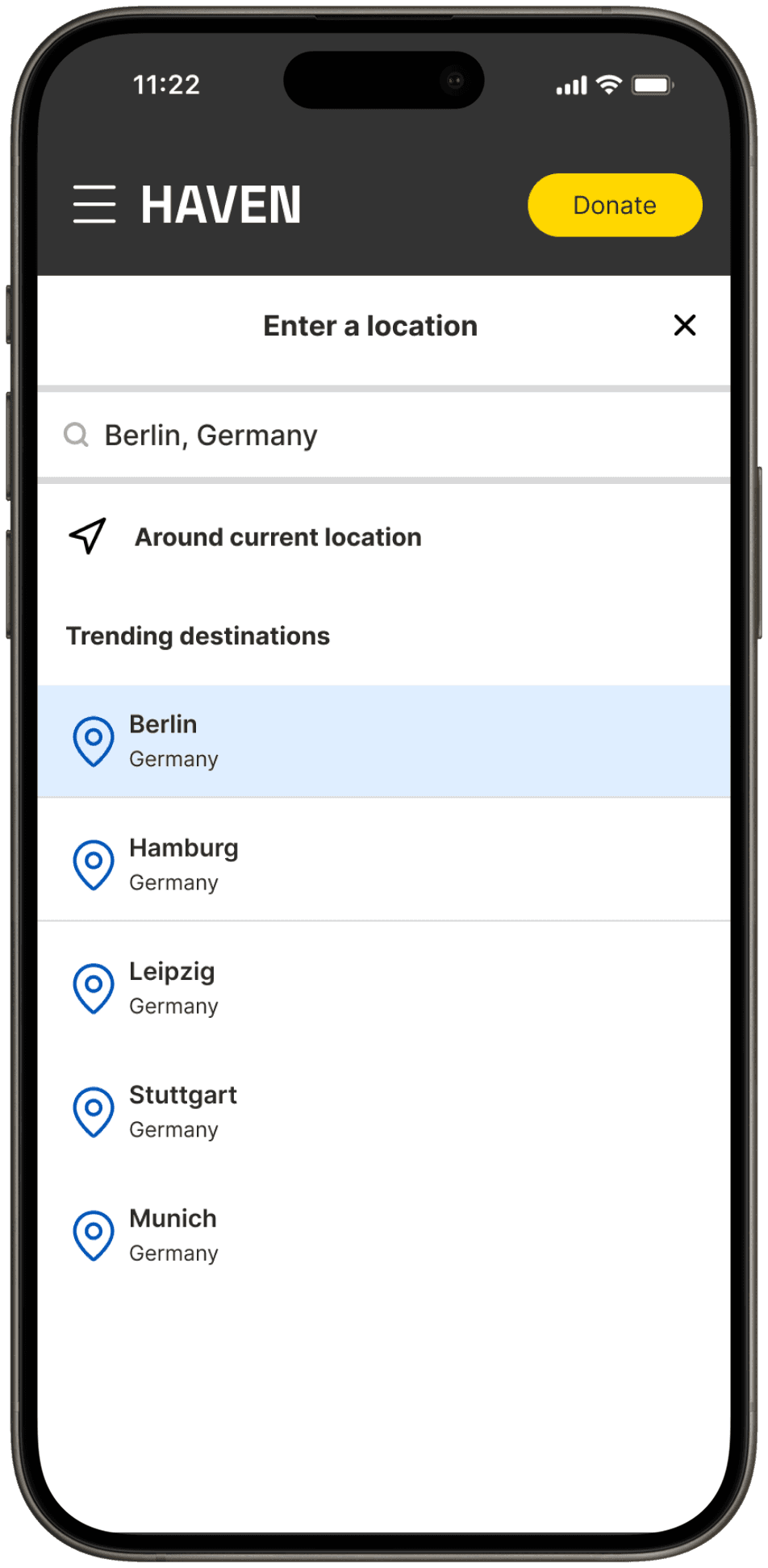
Our primary goal was to help people find support quickly, so the design effort focused on the landing page and search experience. We created a simple, guided search flow that brings together location and support needs in one place. This approach reduces cognitive load and makes it easy for people to begin their search — even in moments of stress or uncertainty.

11,000 volunteers. 0 ways to connect them to people in need.

The challenge

Within months, more than 11,000 volunteers had registered with Leave No One Behind, but matching was still handled manually through spreadsheets. The process was slow, inconsistent, and had no dedicated support behind it. As a result, fewer than two successful matches were made each week. People needed help and volunteers were ready to step in — but there was no bridge connecting them.

Within months, more than 11,000 volunteers had registered with Leave No One Behind, but matching was still handled manually through spreadsheets. The process was slow, inconsistent, and had no dedicated support behind it. As a result, fewer than two successful matches were made each week. People needed help and volunteers were ready to step in — but there was no bridge connecting them.

Baseline insights

We derived these baseline insights by reviewing the existing workflows and analysing the Google Forms and spreadsheets used for volunteer registration. We also spoke with the coordinators handling requests and traced several real matching cases end-to-end, which revealed how fragmented and manual the process had become.
2

Successful volunteer matches per week

2

Successful volunteer matches per week

2

Successful volunteer matches per week

11,000+

registered volunteers, but no way to search or contact them

11,000+

registered volunteers, but no way to search or contact them

11,000+

registered volunteers, but no way to search or contact them

100+

Support organisations relying on spreadsheets to request help

100+

Support organisations relying on spreadsheets to request help

100+

Support organisations relying on spreadsheets to request help

100%

Of matching done manually via Google Sheets, WhatsApp, and email

100%

Of matching done manually via Google Sheets, WhatsApp, and email

100%

Of matching done manually via Google Sheets, WhatsApp, and email

Hypothesis

Exposing LNOB’s volunteer database through a searchable, public-facing platform would enable organisations and individuals to find the right support themselves — without relying on manual coordination.

The design

Designing the journey around the search

Our primary goal was to help people find support quickly, so the design effort focused on the landing page and search experience. We created a simple, guided search flow that brings together location and support needs in one place. This approach reduces cognitive load and makes it easy for people to begin their search — even in moments of stress or uncertainty.

Designing a fast and mobile-first journey

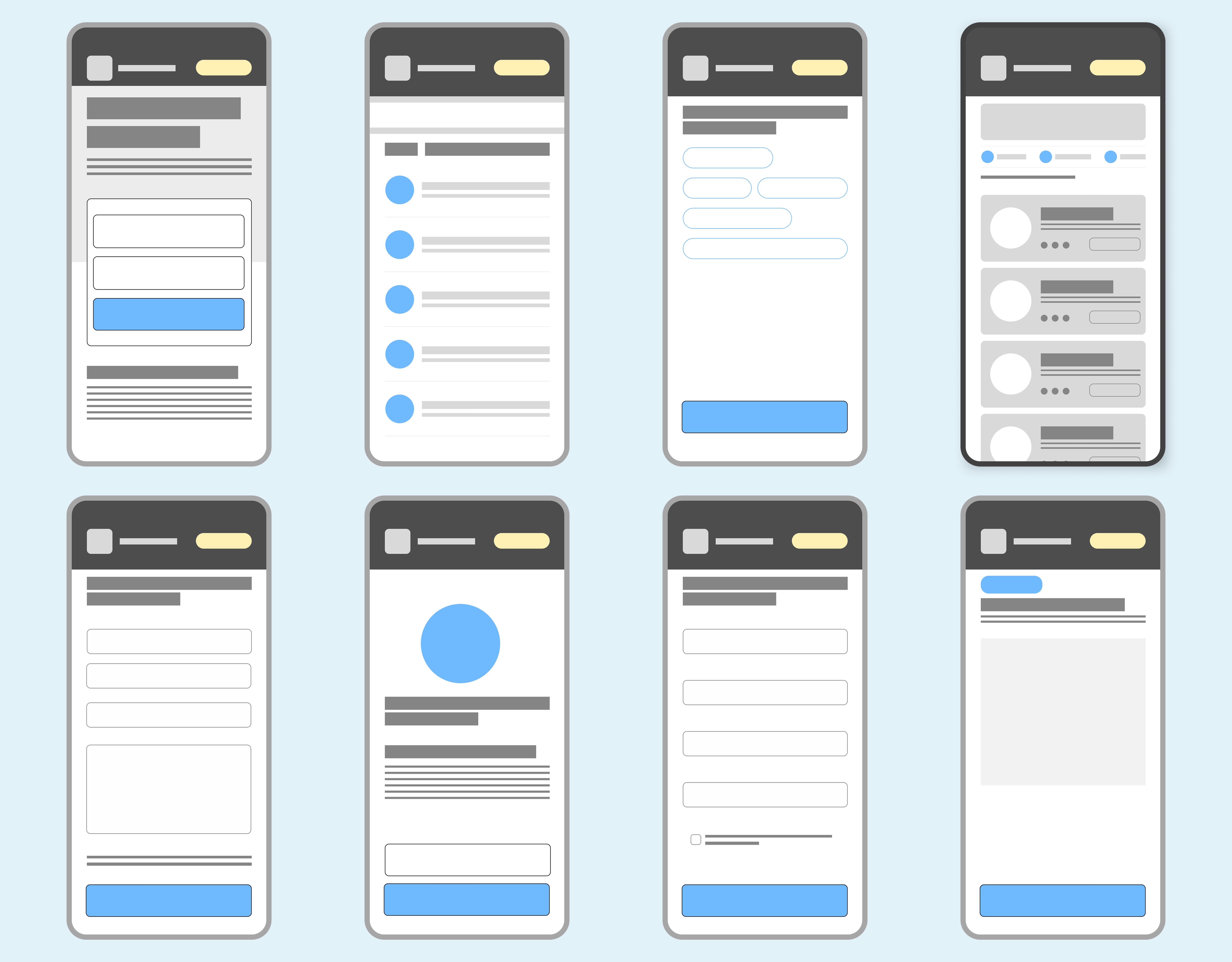
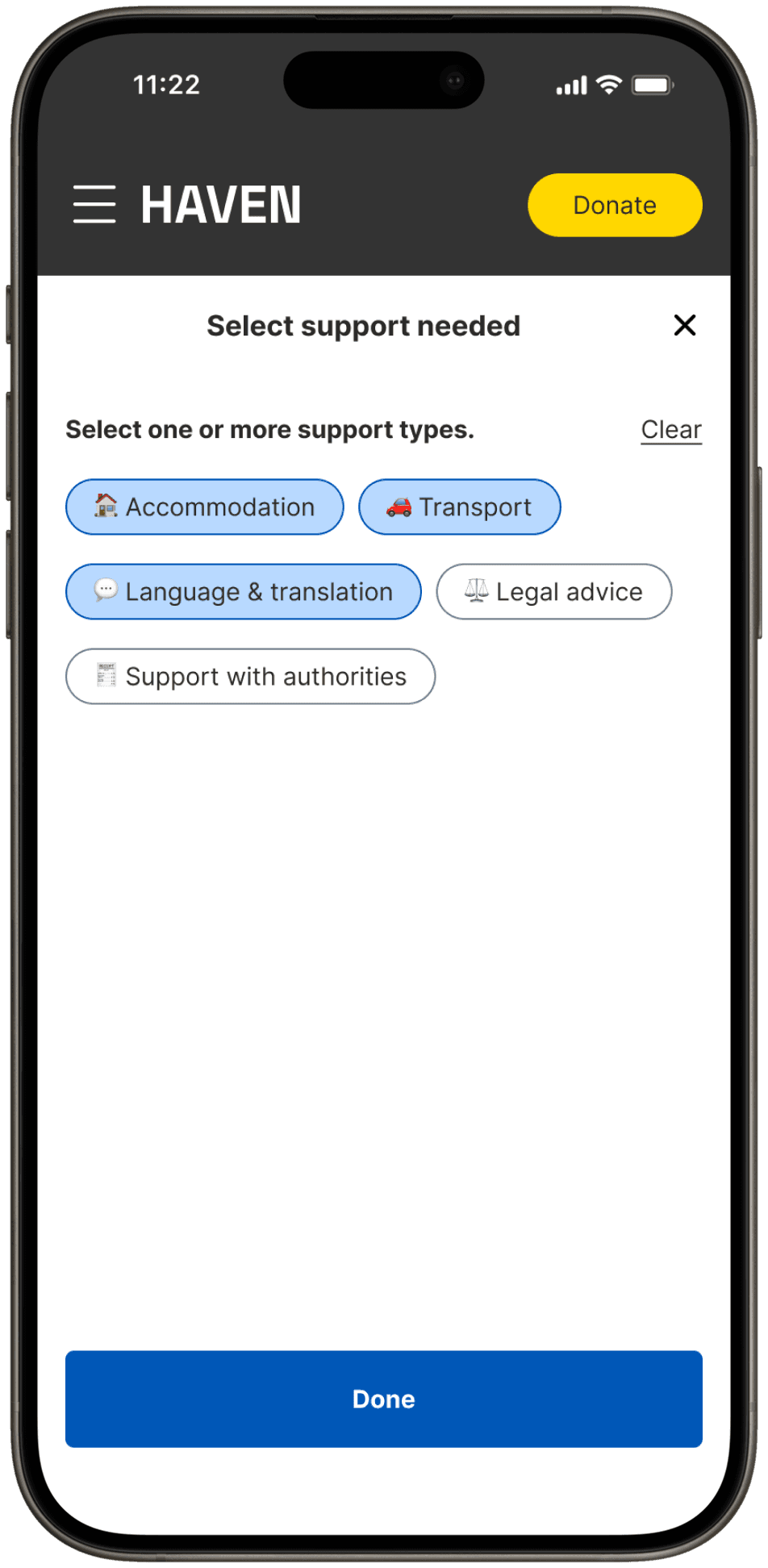
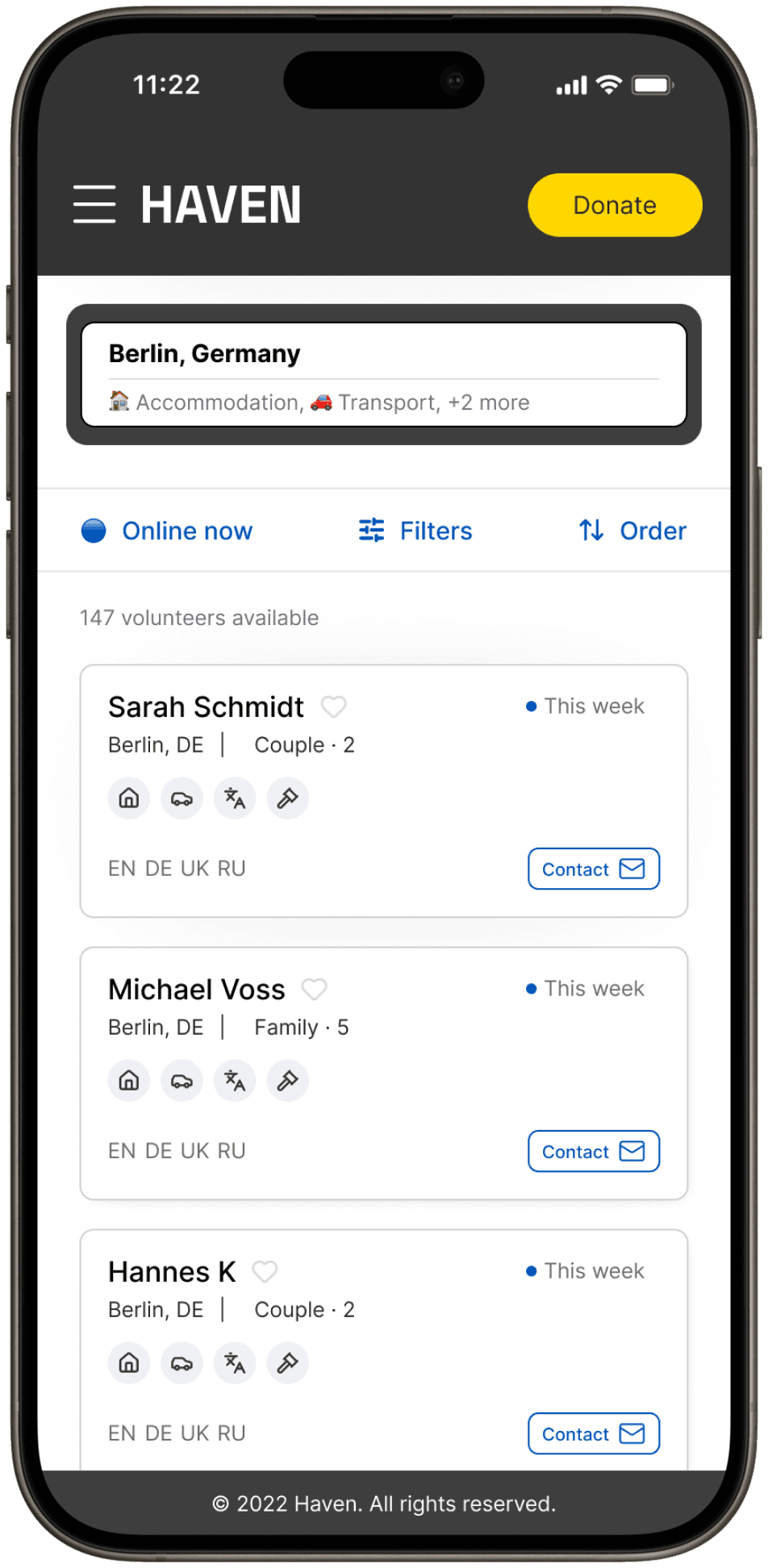
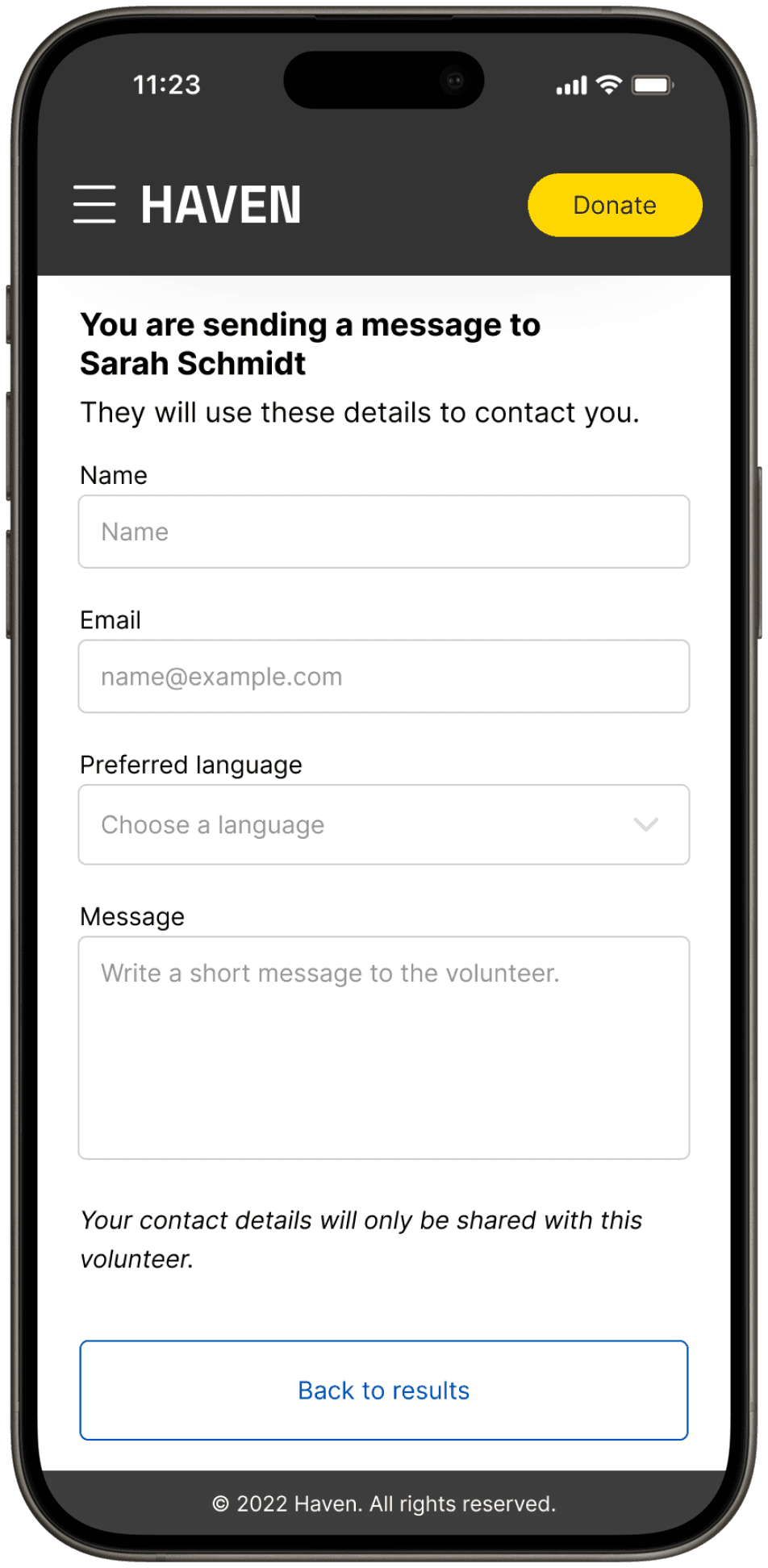
The flow guides people in need through three simple steps: set where they need help, choose the type of support, then browse a list of matching volunteers. Each screen focuses on a single decision, making it easy to search and compare options on a phone. From there, users can contact the right volunteer directly, with a short message and their preferred language. The journey is designed to turn urgent needs into real connections in just a few taps.

Creating a clear visual language for support needs

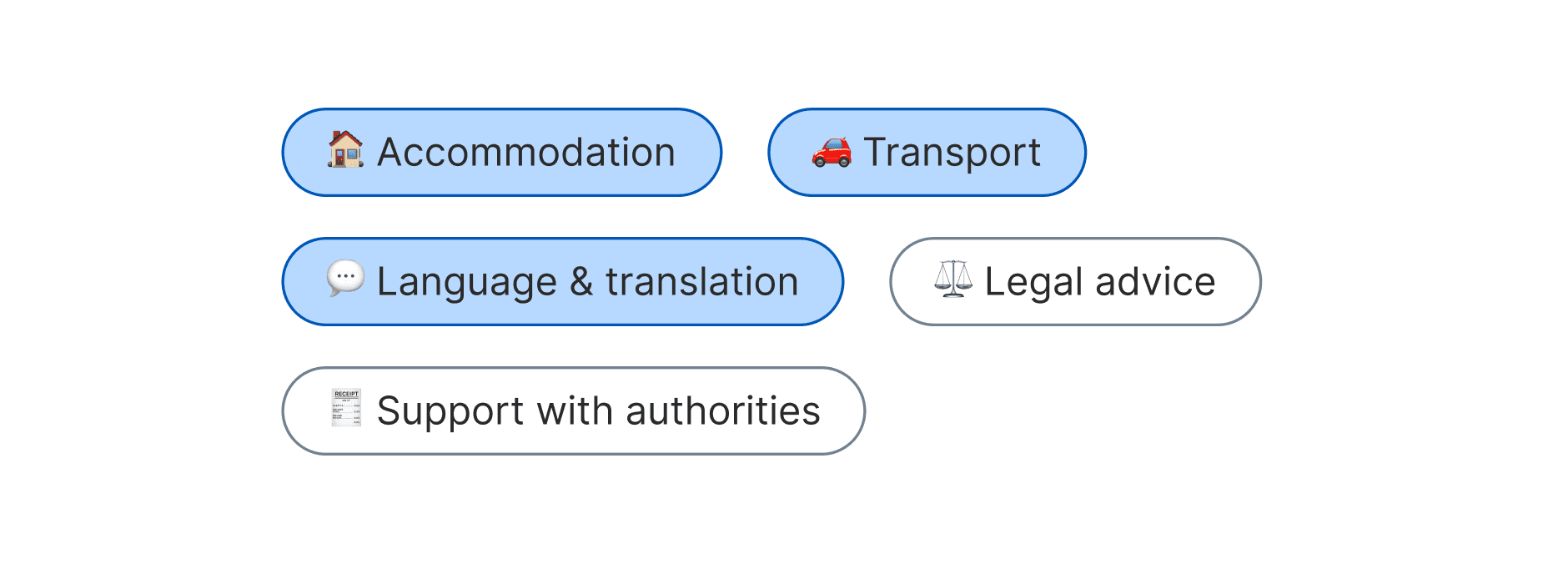
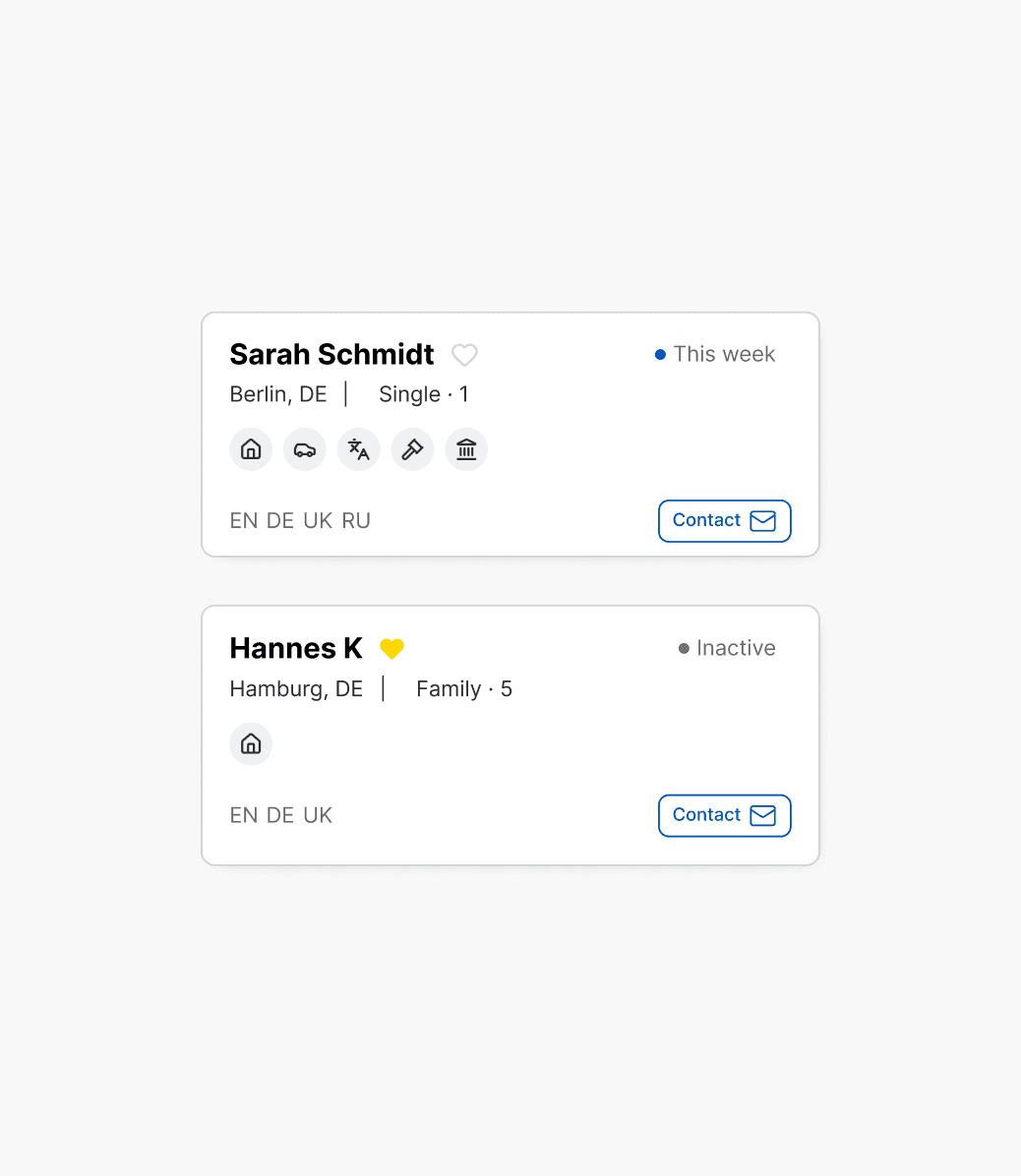
To help people quickly recognise the kind of help available, we designed a set of simple, intuitive support-type pills. Each pill uses an icon, colour, and label to make support categories easy to scan, compare, and select — even on small screens or under stress. This pattern appears consistently across the search flow and volunteer cards, helping users stay oriented as they move from searching to reviewing to contacting a volunteer.

Making large datasets easy to navigate

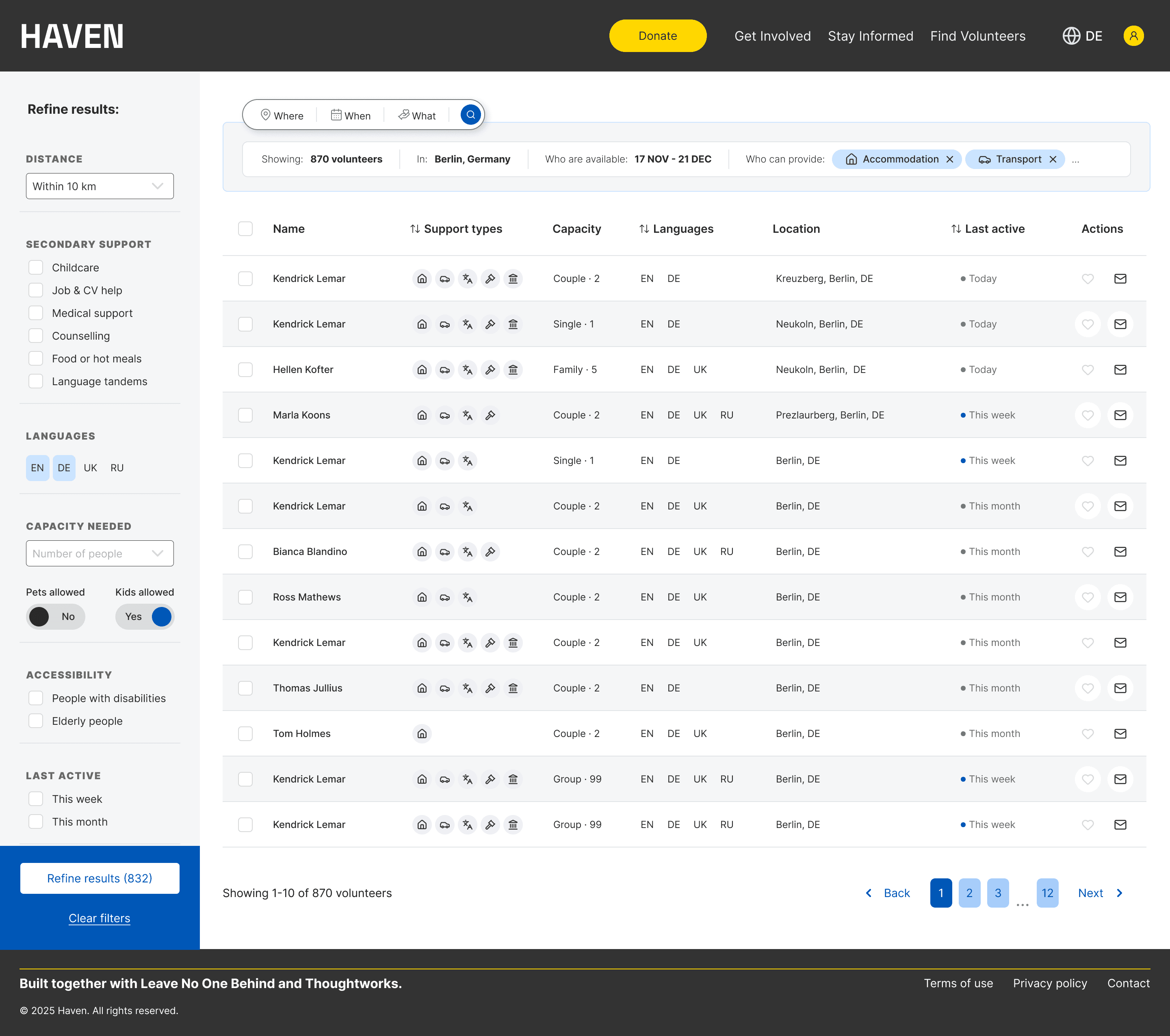
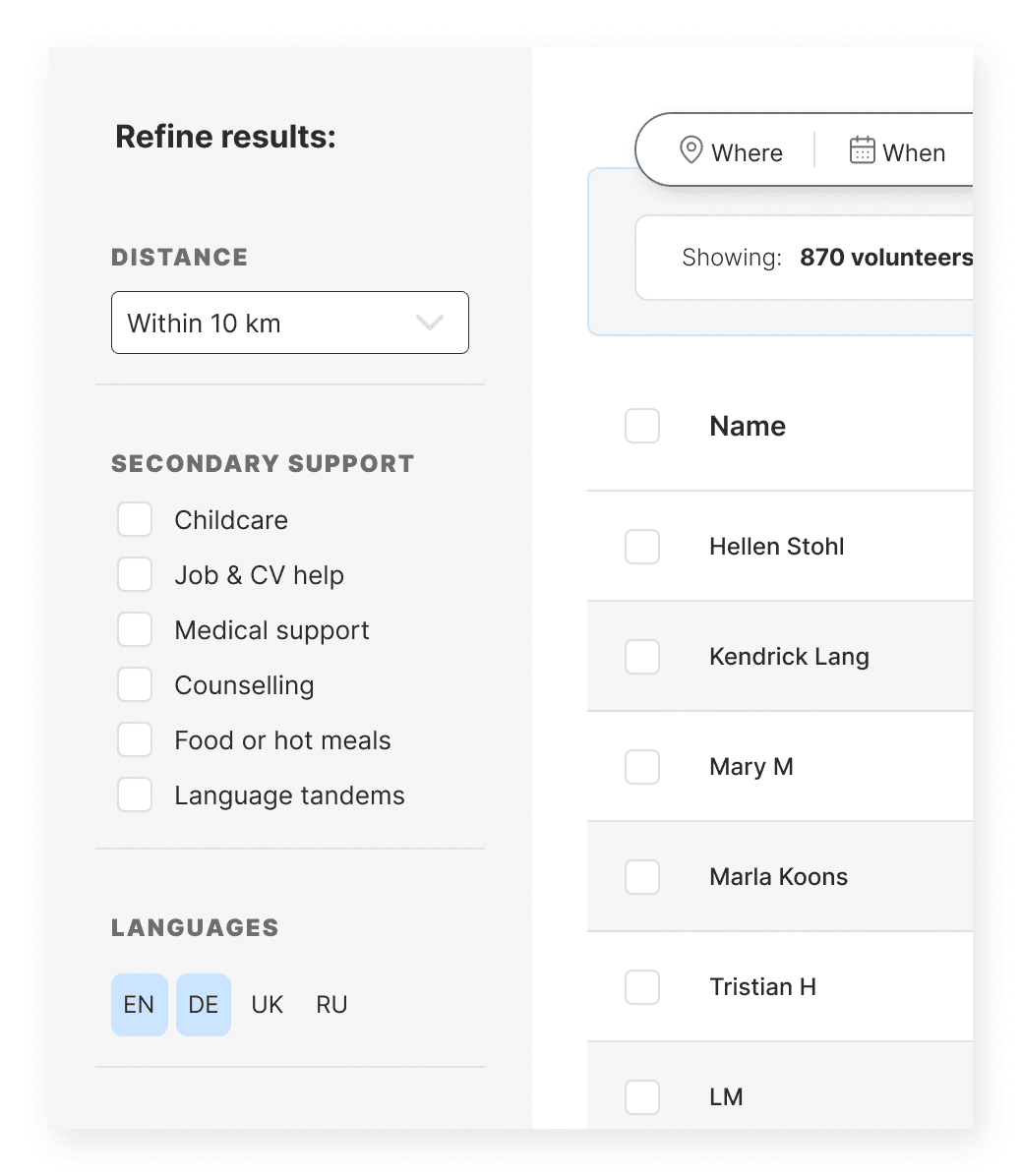
The desktop results view was designed around efficiency. We mapped the real workflows of coordinators and built a results table that supported quick scanning, filtering, and cross-referencing. Each column — support types, capacity, languages, availability — was optimised for readability using iconography, compact spacing, and consistent patterns. This allowed users to move from “browsing” to “identifying the right volunteer” in seconds, supporting accurate, high-volume decisions without cognitive overload.

Measured outcomes

Within two weeks of launch, the new platform dramatically reduced the time and effort required to match refugees with volunteers — transforming a previously manual workflow into a scalable, self-service system.

80%

Less coordinator time spent managing requests

80%

Less coordinator time spent managing requests

80%

Less coordinator time spent managing requests

More successful matches per week

More successful matches per week

More successful matches per week

150+

Searches in the first month from refugees and aid organisations

150+

Searches in the first month from refugees and aid organisations

150+

Searches in the first month from refugees and aid organisations

< 24 hours

Average volunteer response time after being matched

< 24 hours

Average volunteer response time after being matched

< 24 hours

Average volunteer response time after being matched

Conclusion

By prioritising the landing page and search flow, we solved the biggest barrier in the system, turning a manual process into a clear, searchable platform meant support could be reached within hours instead of days. The project reinforced that good design isn’t always about adding more — sometimes it’s about unblocking what’s already there. With a lightweight, focused approach, we created something that genuinely helped people when it mattered most.